Using the Notification Center to Track Recent Activity in Prima.Law
The Notification Center provides a quick, audit‑style view of recent actions taken across your firm. It shows who did what, when, and on which case or contact—making it a useful tool for daily activity tracking, supervision, and internal oversight.
What the Notification Center Shows
The Notification Center aggregates activity from multiple areas of the system, including:
- Tasks — created, completed, or updated
- Smart Interviews — submissions and updates
- Phone Calls — logged calls and details
- Case and Contact Updates — key changes made by staff
Each entry includes the user who performed the action, the timestamp, and the related case or contact.
How to Access the Notification Center
- Click the bell icon at the top‑right corner of Prima.Law.
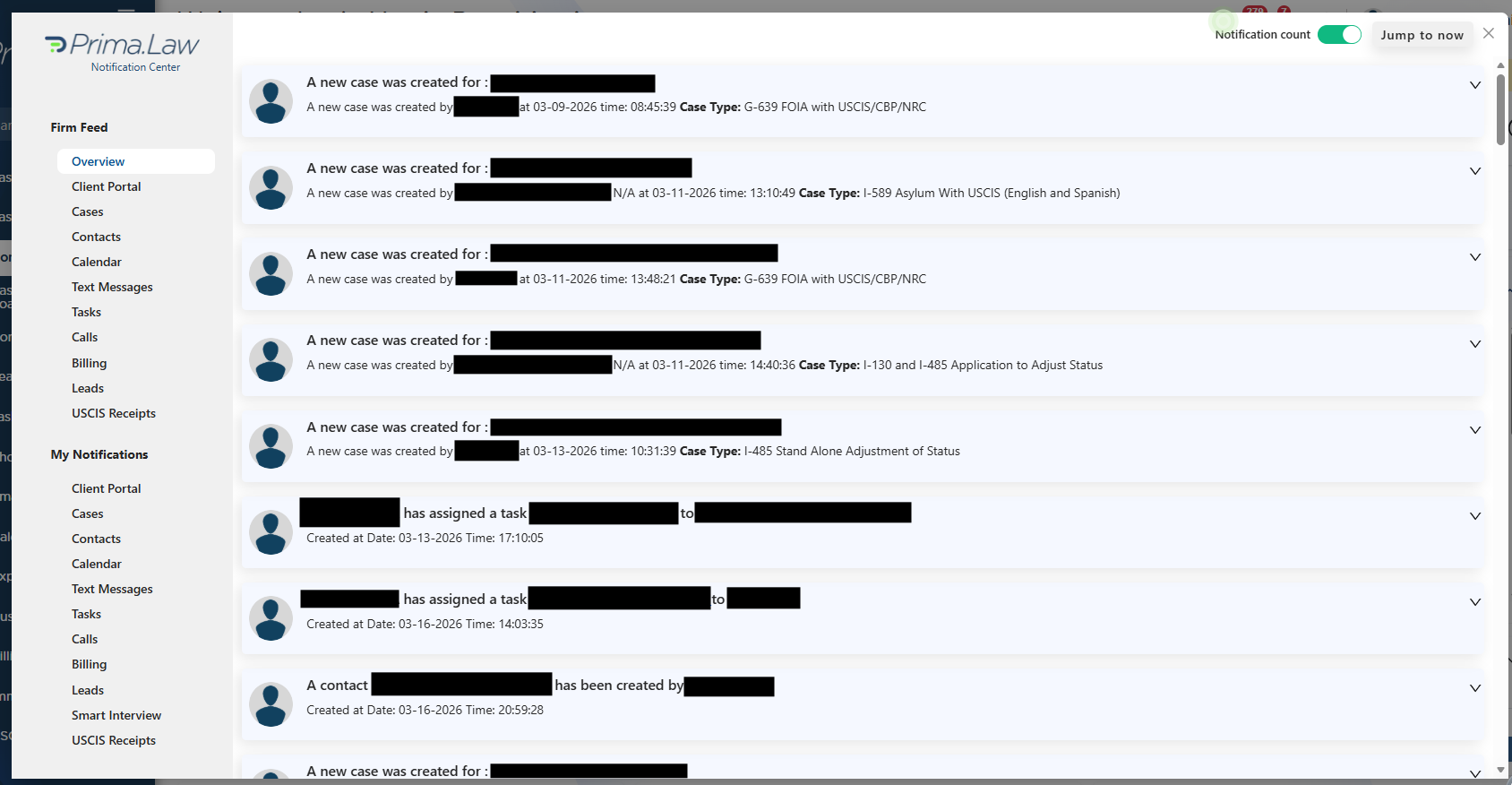
- The Notification Center panel will open, showing your most recent activity feed.

How to Review Activity
- On the left side, select the activity type you want to review
(Tasks, Smart Interviews, Calls, etc.). - On the right side, you’ll see a chronological list of actions.
- Each entry displays:
- The user who performed the action
- The time it occurred
- The case or contact involved
- Additional details depending on the activity type
This creates a simple, audit‑style log of firm activity.
Why Use the Notification Center
- Daily activity tracking
- Staff oversight
- Quick verification of recent updates
- Cross‑team visibility
It’s the fastest way to see what’s happening across the firm without running reports or opening individual cases.