
USCIS Receipt Tracking
USCIS Receipt Tracking allows you to monitor case statuses directly inside Prima.Law without leaving the platform.
Adding receipts to a case
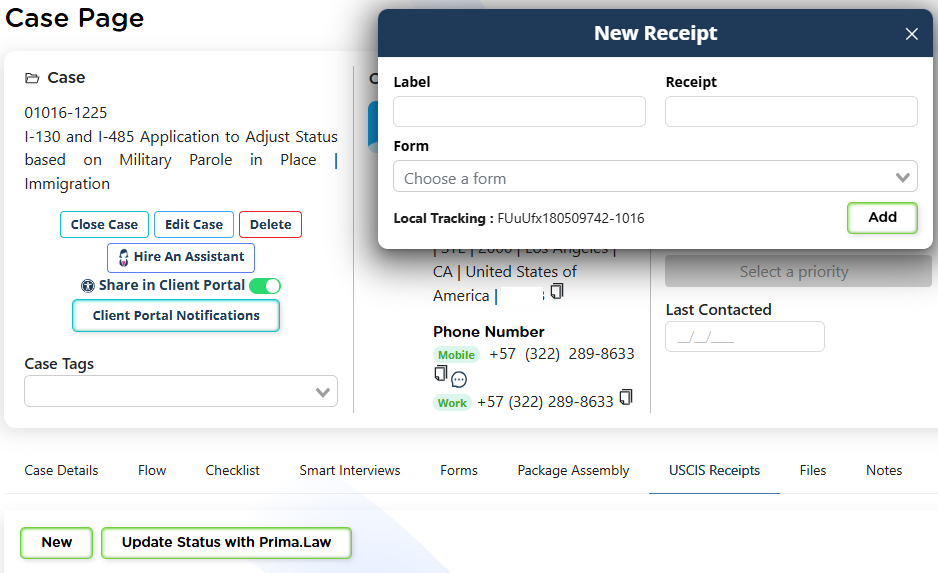
From the Case Page:
- Open the USCIS Receipts tab.
- Click New.
- Enter:
- a label (for reference)
- the receipt number
- the related form
- Save.
Once added, you can update the receipt status at any time.
Updating receipt statuses
From the case:
- Click Update Status with Prima.Law to check the latest USCIS status.
You can update:
- individual receipts, or
- all receipts associated with the case.

USCIS Receipts Hub (firm-wide view)
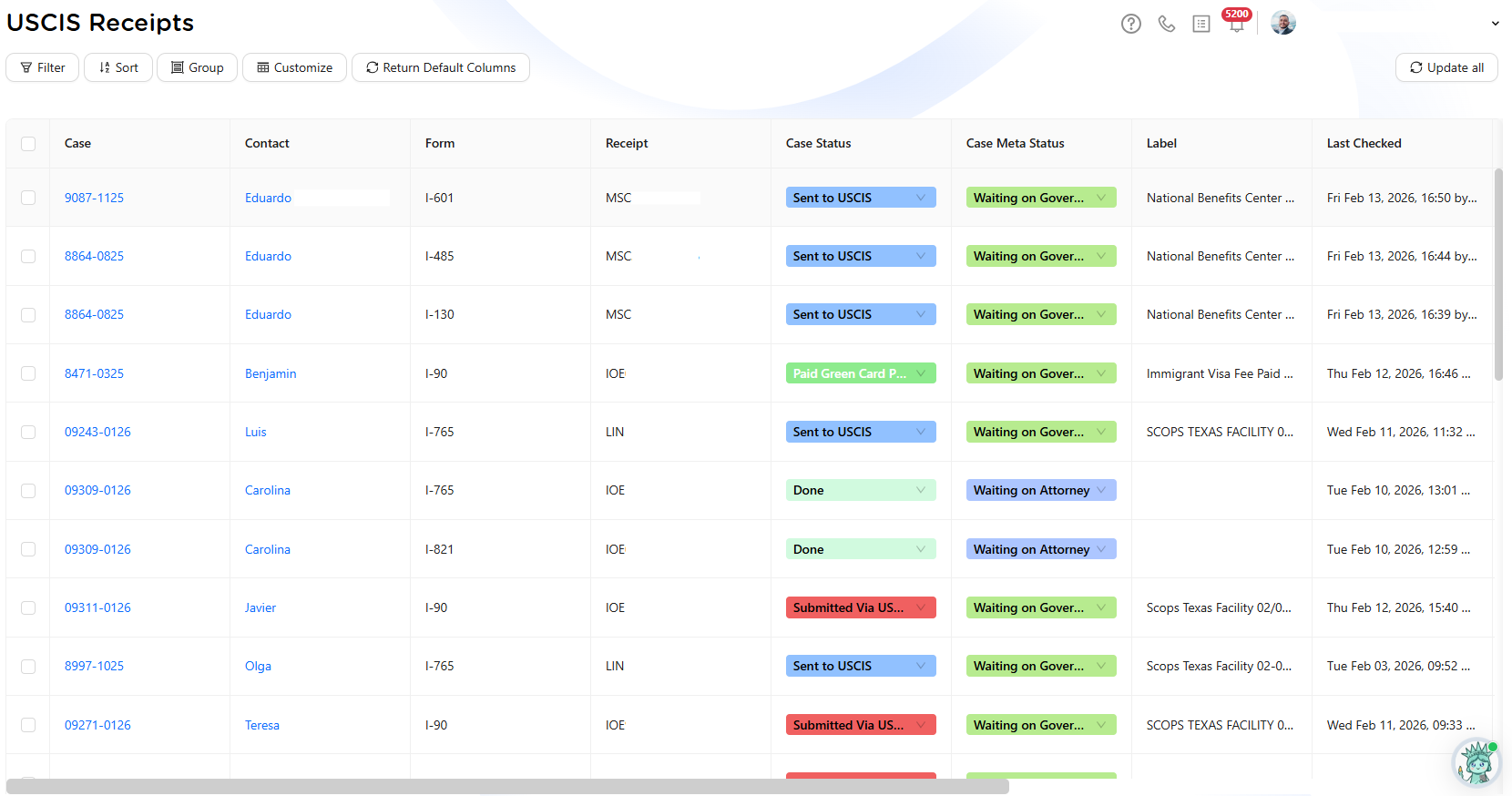
For broader tracking, use the USCIS Receipts hub in the left sidebar.
This view shows:
- all receipts across all cases
- linked case and contact
- related form
- receipt number
- case status and meta status
- last checked date
- last known USCIS status
- open or closed case indicator
Managing receipts at scale
From the Receipts Hub, you can:
- update all receipts at once
- update individual receipts
- filter, sort, and group by columns
- customize your view
- return to the default column layout at any time
The system will also alert you if:
- a receipt number is invalid
- an error occurs during status checks
- a status update is detected
Receipt tracking inside Prima.Law removes the need to check USCIS manually, centralizes case progress information, and supports better follow-ups and client communication.