
How to Close (Archive) a Case in Prima.Law
Closing a case in Prima.Law helps keep your workspace organized and ensures that only active matters appear in your day‑to‑day workflow. You can close a case from either the Contact page or the Case page. Both methods perform the same action — choose whichever is more convenient for your workflow.
Option 1: Close a Case from the Contact Page (Recommended)
This is the fastest and most reliable method because you can see all cases associated with the contact in one place.
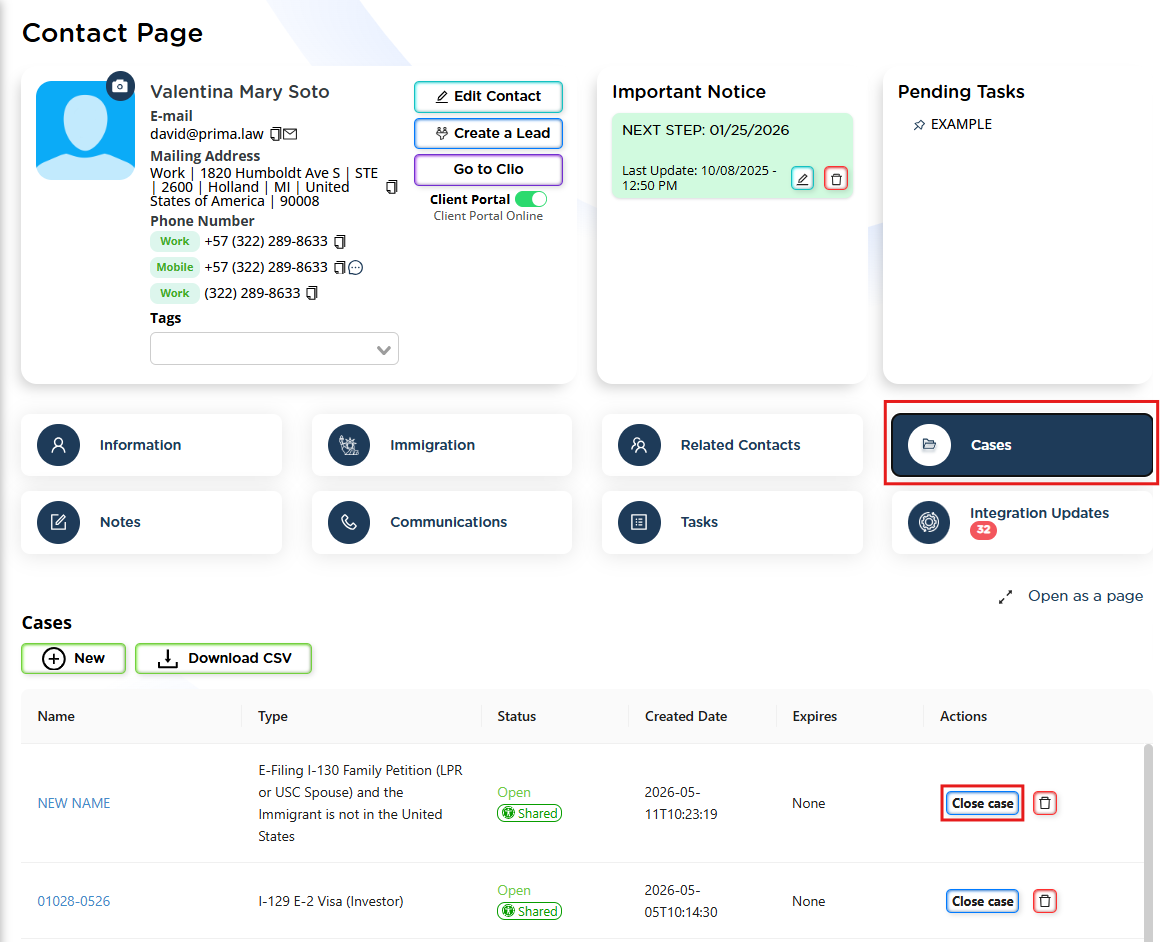
Steps
- Open the Contact under which the case was originally created or the application was opened.
- In the top navigation tabs (the large horizontal tabs), click Cases.
- This tab appears right after the “Related Contacts” tab.
- You will now see a list of all cases created for this contact — open or closed.
- On the far right side of each case row, you will see a Close Case button.
- Click Close Case for the case you want to archive.
Why this method is recommended
- You can visually confirm you’re closing the correct case.
- You can manage multiple cases for the same contact without navigating back and forth.
- It’s the quickest workflow when reviewing or cleaning up cases.
Option 2: Close a Case from the Case Page
Use this method when you are already inside the case and want to close it immediately.
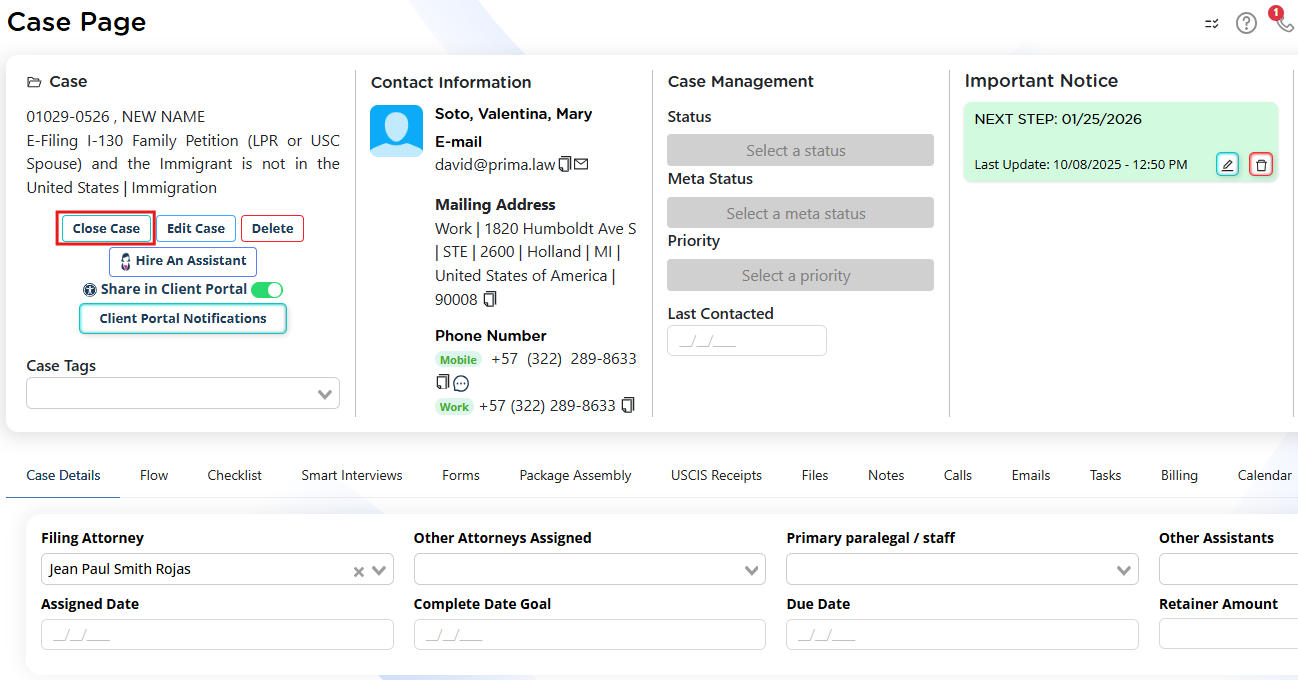
Steps
- Open the case:
- Either click the case name from the Cases tab on the Contact page, or
- Open it from the right‑side panel, which lists all cases for that contact.
- Once inside the case, look at the upper‑left corner of the case page.
- You will see several action buttons — one of them is Close Case.
- Click Close Case to archive the case.
When this method is useful
- You’re already working inside the case and want to close it immediately.
- You don’t need to review other cases for the same contact.
Summary
You can close a case in Prima.Law in two simple ways:
- From the Contact page → Cases tab → Close Case button (best for reviewing multiple cases).
- From the Case page → Close Case button (best when already inside the case).
Both methods archive the case and remove it from your active workflow while keeping all data preserved for future reference.