
Lead Overview & Strategy in Prima.Law
Generating, collecting, and managing leads is an essential part of growing your practice. Prima.Law’s Leads functionality provides powerful tools to capture potential clients, track their progress, and convert them into contacts.
1. Initial Setup
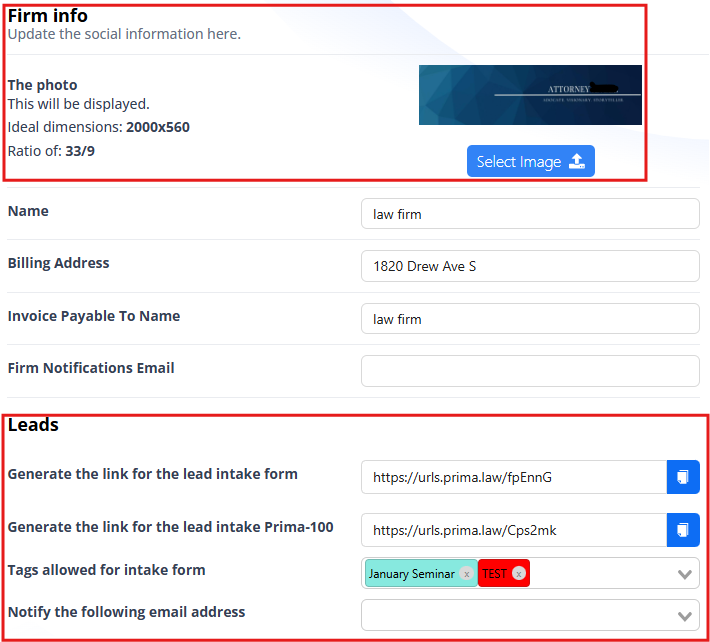
- Brand Identity: Go to the Administrator Console, navigate to Firm Info, and upload your firm logo to ensure your lead forms are professional. You can also generate links for the basic Lead Intake or Prima-100 (much more comprehensive intake form) to embed on your website from this section.
- Generation: Scroll to the Leads section and click the “Generate Leads Link” button.
- Notifications: Add a notification email (e.g.,
notifications@yourfirm.com) in the designated field to receive immediate alerts for new submissions.
2. Collection and Organization
- Sharing: Use the generated link on your website, social media, or email campaigns to direct potential clients to your intake form.
- Tags: Add strategic tags so they appear for clients on the intake form. This allows you to categorize leads by source or priority (e.g., “Ad Campaign,” “Referral,” “Hot Lead”).
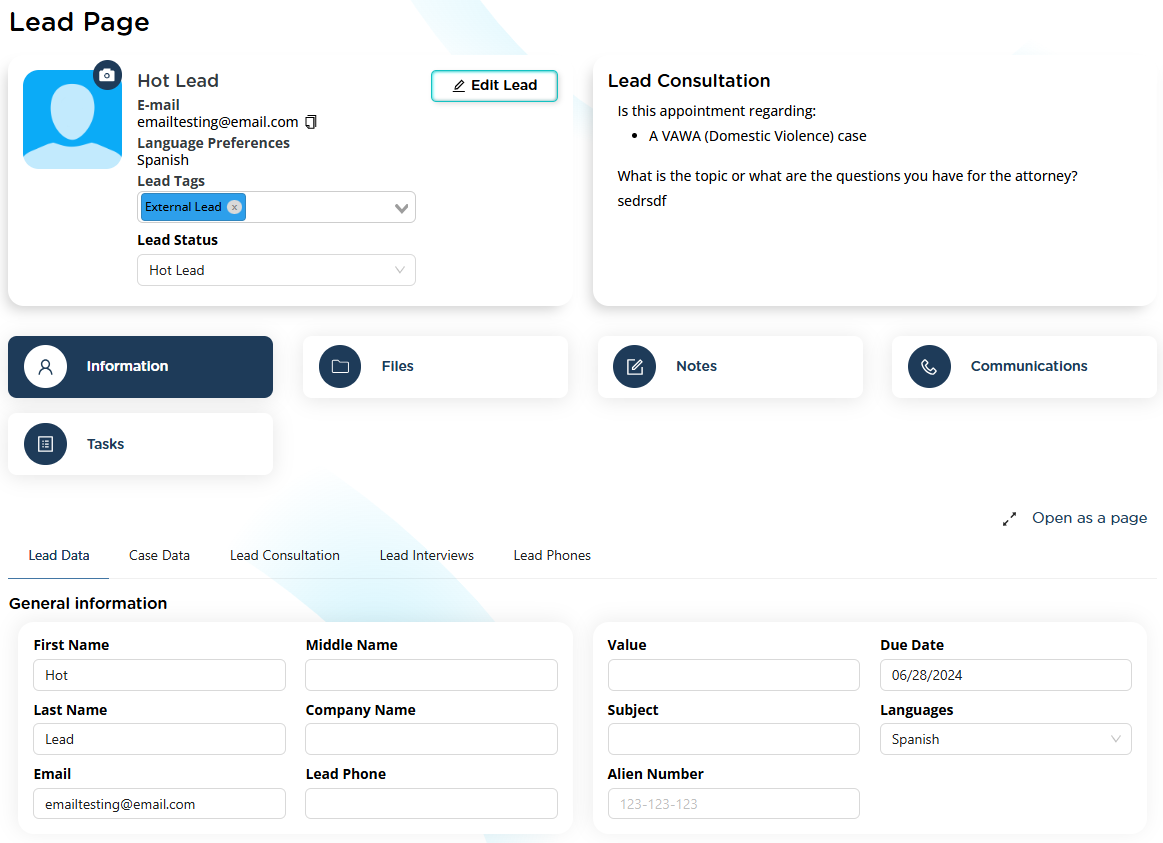
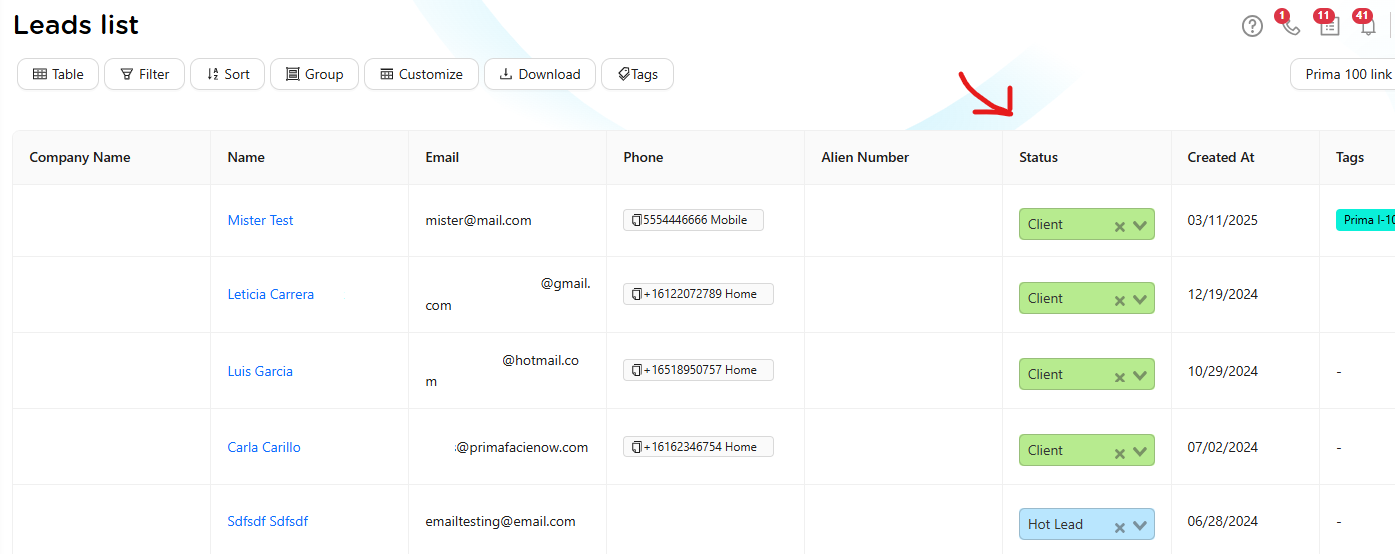
- Data Capture: Once a form is submitted, the information appears automatically in the Leads section. Each lead includes details like name, contact information, consultation questions, and uploaded photos.
3. Managing Lead Progress
- Profiles: Click any lead to update information, add notes, and record communications such as calls or text messages.
- Tracking: Use the Status field (e.g., “Contacted,” “Hot Lead,” “Won”) to track the prospect's journey.
- Visual Management: Switch to Kanban View to drag and drop lead cards between stages like “Cold Lead” and “Hot Lead” for a visual representation of your sales pipeline.
4. The Conversion Process
- When to Convert: Leads should be converted to contacts once they book a consultation or decide to hire the firm.
- Workflow: Click the “Convert to Contact” button in the lead’s profile. You can optionally add a Case Type during this step so a case is opened automatically.
- Finality: Once converted, the lead becomes a contact. This transition is permanent to ensure the lead is now managed as a formal client within the system.
Lead Management Best Practices Manual
1. The Conversion Funnel
A lead is a temporary entity in a state of evaluation. Effective management requires moving them through a clear funnel:
- Top of Funnel (ToFu): High-volume capture via public questionnaires.
- Middle of Funnel (MoFu): Qualification through tags and status updates to prioritize active interests.
- Bottom of Funnel (BoFu): The conversion point where a prospect becomes a permanent Contact.
2. Operational Best Practices
- Unidirectional Flow: A Contact/Client cannot be reverted to a Lead. This is a strict best practice to maintain the integrity of the database and ensure that established client-attorney relationships are not degraded to "prospect" status.
- Immediate Follow-up: Set up Lead Notifications to ensure a team member reviews and manages incoming leads daily. Timely responses significantly increase conversion rates.
- Data Integrity: Use Zapier integrations to centralize leads from external sources into Prima.Law, preventing manual entry errors and duplication.
- Strategic Tagging: Categorize leads by campaign or source to accurately assess the effectiveness of your marketing efforts.
3. Campaigns and Reactivation
- Nurturing: For leads not yet ready to convert, use consistent follow-ups and task reminders to stay top-of-mind.
- Returning Interests: When an existing client requires a new service, manage the request through a new Case within their existing Contact profile rather than creating a new Lead.
- Metric Tracking: Monitor the ratio of total leads vs. converted clients to calculate your firm's growth and marketing ROI.
Note: If you would like us to add any additional or custom lead status to your account, please send your request to support@prima.law.