
How to Properly Set Up Contacts for a Family-Based Petition
Core Principle
Always open the case under the Beneficiary’s contact.
Even if the petitioner is the paying client, the case should be created under the beneficiary. This ensures:
- Proper role assignment in forms
- Accurate autofill behavior
- Clean Smart Interview structure
- Long-term case consistency
Step 1: Create the Beneficiary Contact
- Go to the Home page.
- Click the + button under Contacts.
- Select Individual.
- Enter required details:
- First name
- Last name
- Add:
- Email (recommended)
- Phone number
- Known biographic information (DOB, country of birth, etc.)
- Click Save.
You are now on the Beneficiary’s Contact Page.
This contact will be used to open the case.
Step 2: Add the Spouse (For Marriage-Based Cases)
If the petition involves a spouse:
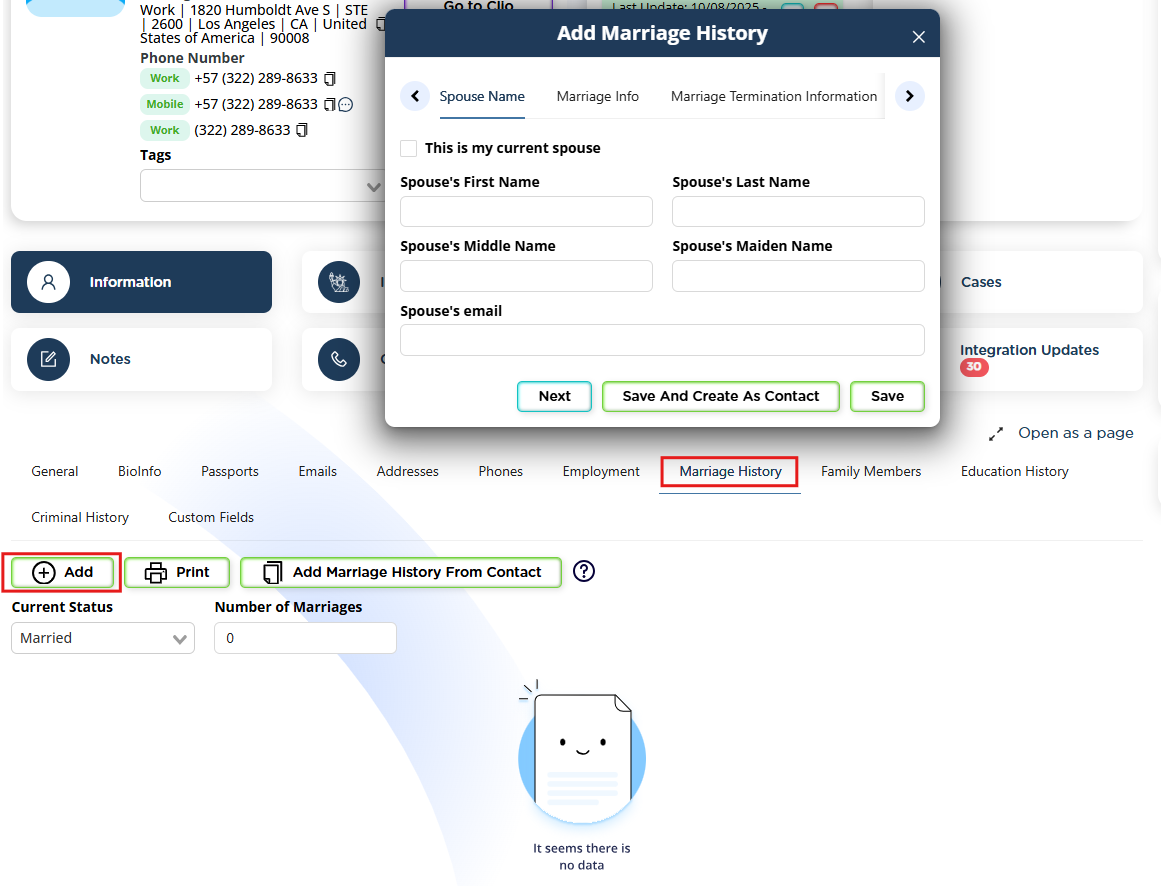
- Go to the Information tab.
- Click Marriage History.
- Add the spouse’s information.
- Click Save & Create as Contact.
This automatically:
- Creates the spouse as an individual contact
- Links them correctly to the beneficiary
Using Marriage History is preferred because it maintains structured marital records.
Step 3: Add Other Family Members (If Needed)
If the petition requires listing:
- Children
- Parents
- Siblings
Go to:
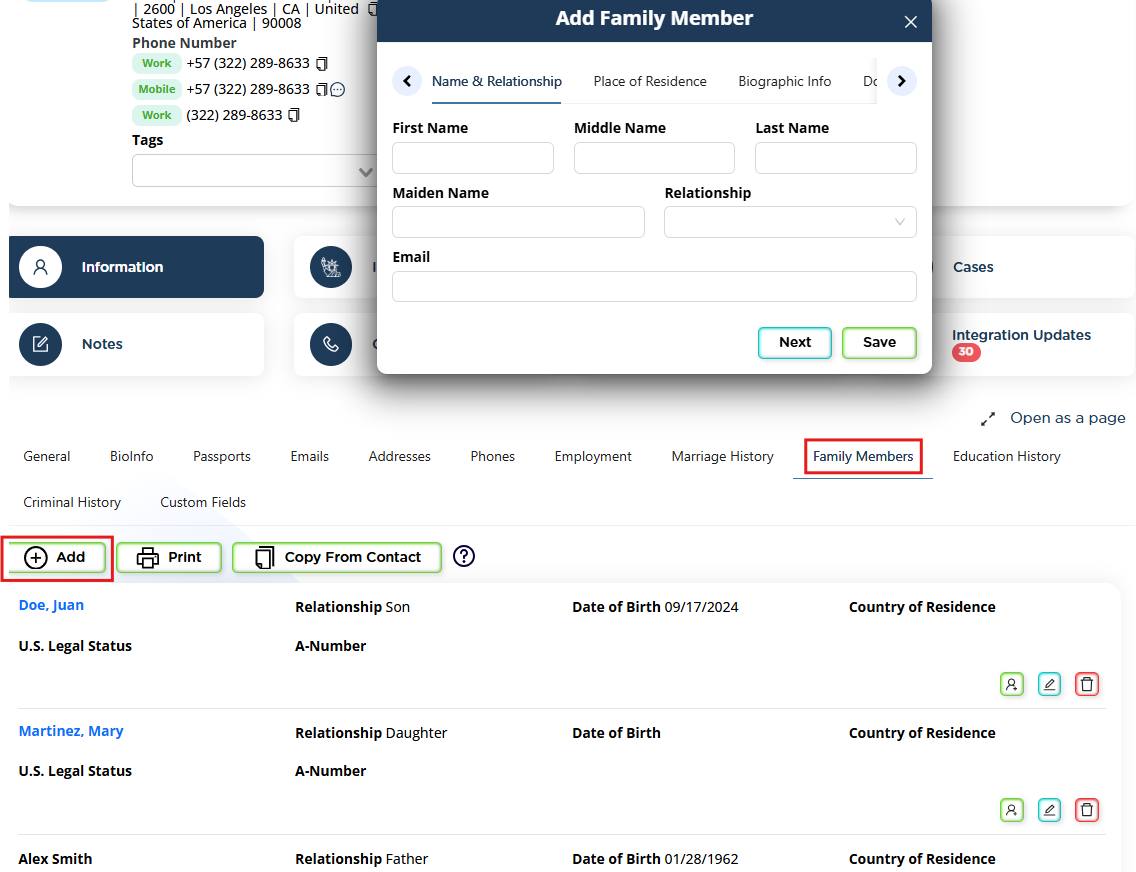
Information → Family Members
Add each person and, if necessary, select Save & Create as Contact.
Important distinction:
- If the person has a formal legal role (Petitioner, Joint Sponsor), they must be created as a contact.
- If they are only mentioned in the form but are not a party to the petition, creating a contact is optional.
Step 4: Confirm All Required Legal Roles
Now verify that every required role exists as a contact.
For example, in an I-130 spouse case you typically need:
- Beneficiary
- Petitioner
- Possibly Joint Sponsor
To add or confirm:
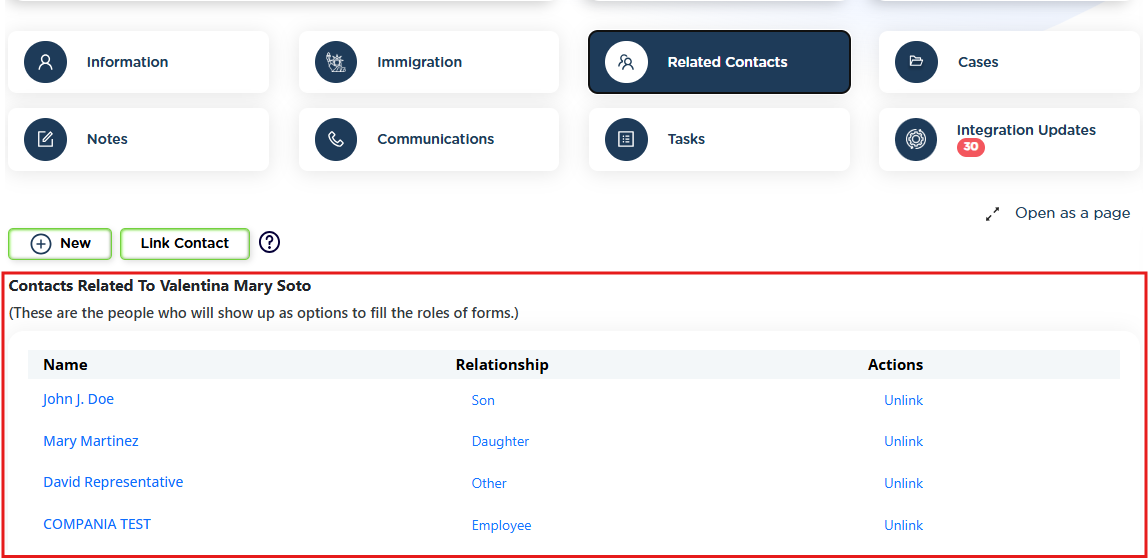
- Go to the Related Contacts tab.
- Click New.
- Select the correct relationship type.
- Either link an existing contact or create a new one.
Every role that appears in the form must correspond to a structured contact.
Step 5: Verify Structure Before Opening the Case
Before creating the case, confirm:
- The Beneficiary exists.
- The Petitioner exists.
- Any Sponsor exists.
- All relationships are correctly defined.
This prevents:
- Role selection confusion
- Autofill errors
- Duplicate contacts
- Case restructuring later
Step 6: Open the Case Under the Beneficiary
- Go to the Beneficiary’s Contact Page.
- Click the Cases tab.
- Select New Case.
- Choose the appropriate family-based matter.
The case is now correctly structured for:
- Smart Interviews
- Form autofill
- Role assignment
- Portal sharing
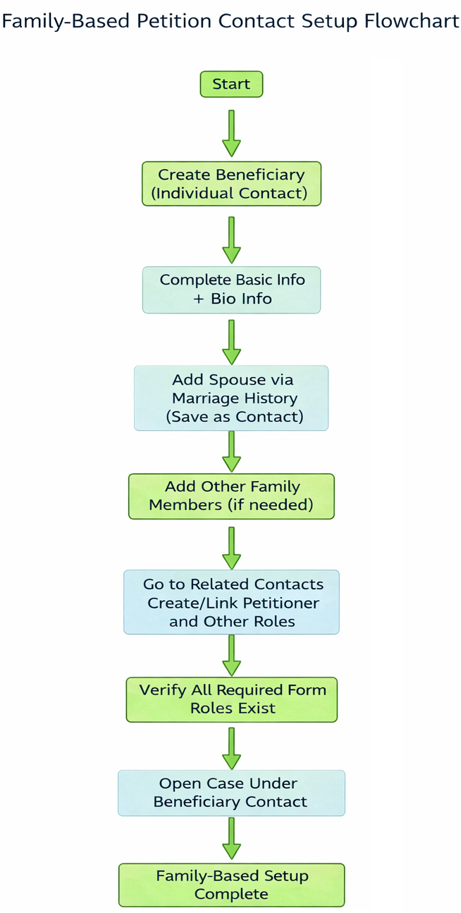
This visual summarizes the complete family-based setup flow.
Why This Setup Matters
Proper contact setup ensures:
- Accurate form autofill
- Clean role mapping
- Easier document collection
- Long-term reusability for future filings
Taking a few extra minutes to structure contacts correctly prevents hours of corrections later.