
How to Properly Set Up Contacts for a Company-Based Petition
Core Principle
Always open the case under the Employee (Beneficiary), not the Company.
Even though the employer is the petitioner, cases should live under each employee individually.
Step 1: Create the Company Contact
Start with the company.
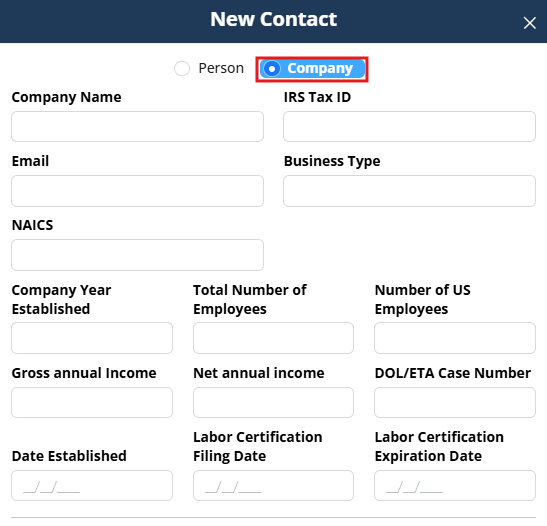
- Click the + button under Contacts.
- Select Company.
- Enter:
- Company name
- IRS Tax ID
- Business type
- NAICS code
- Year established
- Number of employees
- Gross annual income (if available)
- Click Save.
You are now on the Company Contact Page.
Step 2: Create the Employee (Beneficiary)
From the Company Contact:
- Go to the Related Contacts tab.
- Click New.
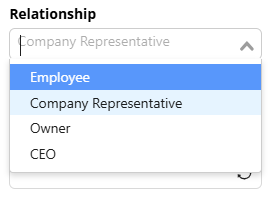
- Select relationship type: Employee.
- Create the individual contact.
This creates the link:
Company ↔ Employee
Important:
Each employee must have their own individual contact.
Step 3: Create the Company Representative
Most employment-based filings require an authorized signatory.
From the Company Contact:
- Go to Related Contacts.
- Click New.
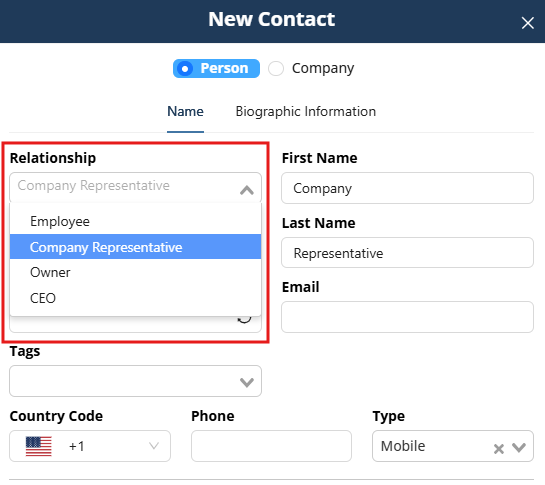
- Select relationship type: Company Representative.
- Create the contact.
This creates the link:
Company ↔ Representative
This representative may later access multiple employee cases.
Step 4: Verify Structure Before Opening the Case
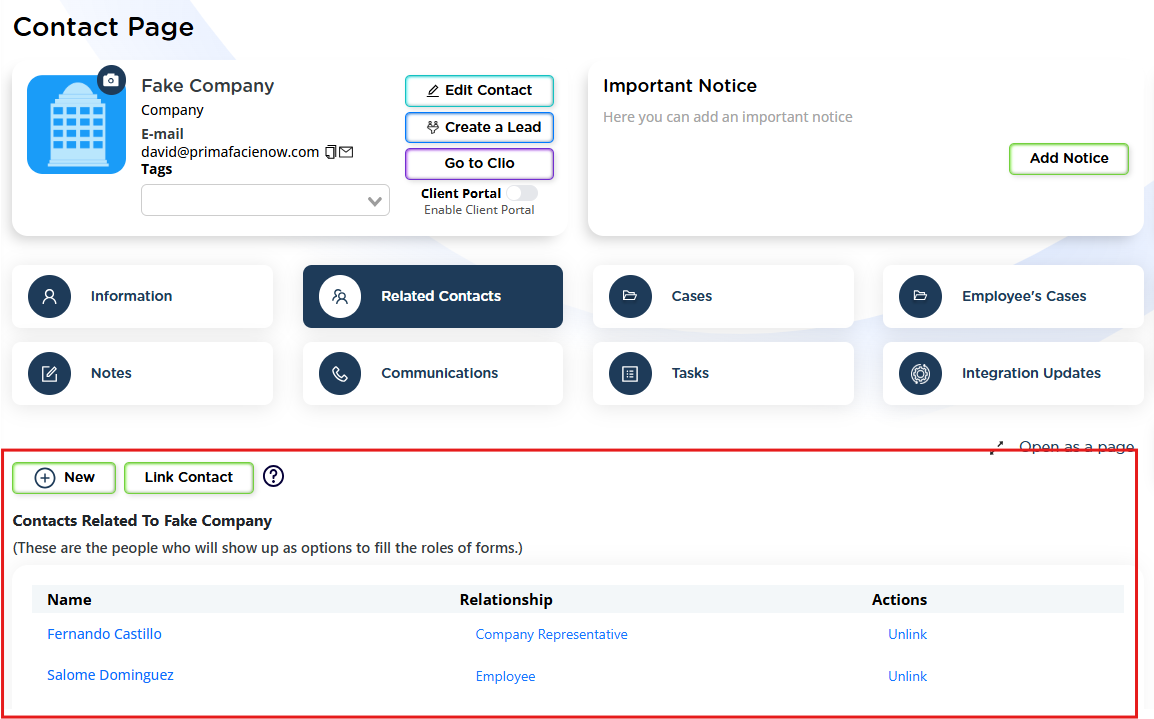
Confirm:
- Company exists.
- Employee is linked to Company.
- Company Representative is linked to Company.
- All relationships are properly defined.
This ensures:
- Clean role assignment in forms
- Accurate autofill
- Scalable structure for multiple employees
Step 5: Open the Case Under the Employee
- Go to the Employee’s Contact Page.
- Click Cases.
- Select New Case.
- Choose the employment-based matter type.
Never open the case under the Company.
Each employee should have their own case.
Step 6: Enable Client Portal (Recommended)
For better collaboration:
- Enable the Client Portal for:
- The Employee
- The Company Representative
- Share the case accordingly.
If structured correctly:
The Company Representative can access every employee case that is shared with them.
This allows:
- Secure document exchange
- Checklist tracking
- Centralized communication
- Organized multi-employee management
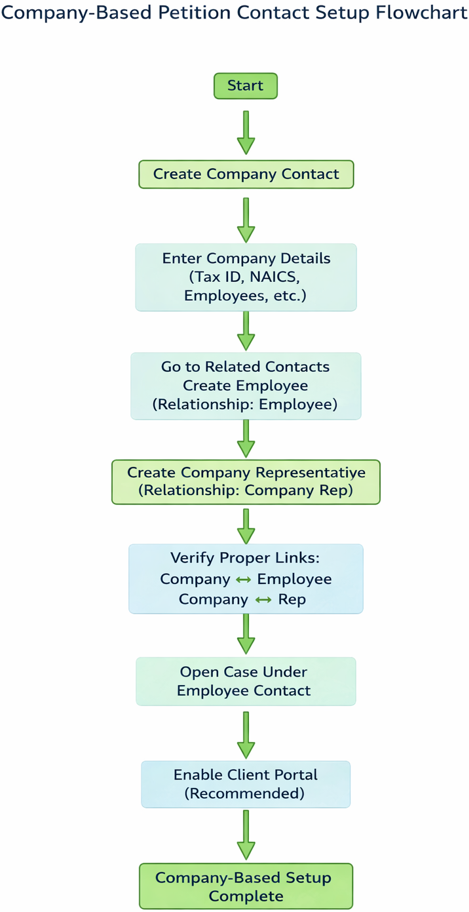
This diagram shows the correct top-down structure:
Company → Employee → Representative → Case under Employee.
Why This Structure Matters
Proper company-based setup ensures:
- Correct form role selection
- No cross-contamination of employee data
- Clean portal access control
- Scalable management of multiple employees
Incorrect setup often leads to:
- Portal access confusion
- Improper autofill
- Case restructuring
Starting with the correct structure keeps everything organized from day one.