Training 116: Overview of the Prima.Law Dashboard & User Interface
🏠 The Main Dashboard
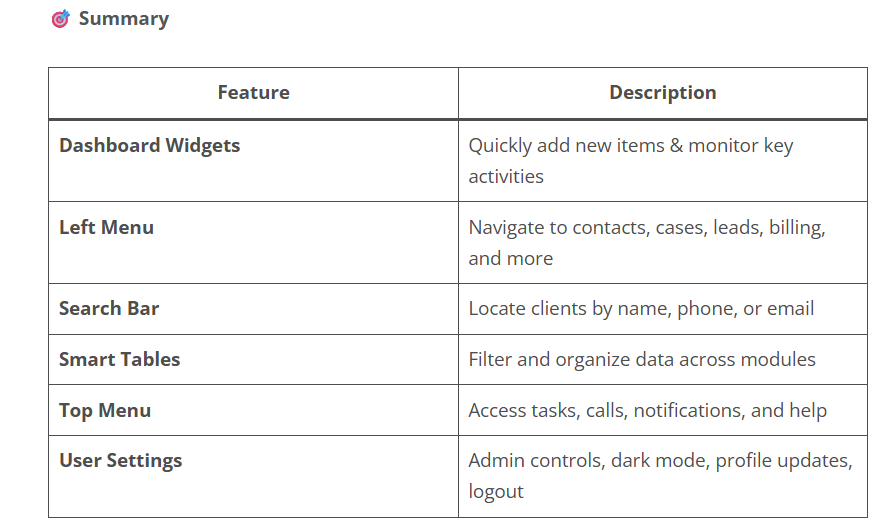
When you log in to Prima.Law, the first screen you’ll see is the Dashboard. Here’s what you can do from there:
📦 Quick-Add Buttons
• Use the “+” icons to quickly create new contacts, cases, tasks, calls, and leads directly from the dashboard.
📅 Alerts & Upcoming Items
• View upcoming expiration dates (like work permits or parole documents).
• See tasks due today, recently completed tasks, and cases assigned to you.
📰 Product Announcements
• Stay informed with the News Slider, where we share updates like:
• New form releases
• Product enhancements
• Feature rollouts such as online filing support
📌 You can minimize the slider if it’s in your way—but we recommend checking it regularly for important updates!
📈 Priority Date Summary
• A snapshot of final action dates and filing dates helps you track priority cases.
• Click through for a full list tailored to your firm.
📂 Left-Hand Menu Navigation
The side menu gives you access to all major modules of Prima.Law. Here’s a breakdown:
🔍 Smart Search Bar
• Search by contact name, partial name, phone number, or email.
• Matches from external CRMs like Cleo or PracticePanther also appear.
• Jump to recently viewed contacts and cases with a click.
📋 Case Management Board
• Visualize all open cases in one place with drag-and-drop functionality.
• Great for tracking progress and managing workloads.
👥 Contacts & Leads
• Use smart tables to filter, sort, group, and tag contacts.
• In the Leads module, manage incoming leads from:
• Your website
• Zapier integrations
• Admin panel forms
✅ Tasks & 📞 Calls
• Organize tasks by status (Pending, Completed, etc.).
• Record and assign incoming phone calls just like tasks—great for tracking client communication.
📆 Calendar
• View appointments and sync your Google Calendar.
• See expiration dates tied to key immigration documents (e.g., visas, green cards, work permits).
🛠️ Custom Roles
Perfect for immigration attorneys:
• Add interpreters, friends of the court, prosecutors, opposing or co-counsel attorneys, and judges to auto-fill relevant form fields.
💳 Billing Module
• Manage invoices, transactions, payment plans, and other financial data from one place.
📊 Analytics
• Run efficiency and performance reports to measure firm productivity.
🌐 Immigration Tools & USCIS Receipts
• Access useful links for immigration resources.
• View and manage all USCIS receipt numbers—track updates and keep clients informed.
🔝 Top Menu Features
🆘 Help Menu
Links you to:
• Chat support
• Help articles
• Report issues
• Schedule calls
(See our separate Support Help Guide for more details)
☎️ Calls, ✅ Tasks, 🔔 Notifications
• View calls or tasks assigned to you
• Use the Notification Center to track firm-wide activity:
• Client portal logins
• Calendar events
• Contact and case changes
• Task completions
• USCIS receipt updates
👤 User Menu Options
Accessible in the top-right corner of your screen:
• Admin Panel (visible only to admins)
• Edit Profile & Change Password
• Toggle Dark Mode
• Chatbot On/Off
• Log Out
🔐 If you’re not listed as an administrator but need access, please contact the main account holder at your firm.